Distributed data processing with Dask: lessons learned
I share some of my initial takeaways on working with Dask for distributed processing.
Distributed data processing with Dask: lessons learned
This post is aimed at people who are experienced with the Python data analysis toolkit, and are looking for solutions to scale out their workflows. It is not meant to be an “Intro to Dask” tutorial. Instead, I share some of my initial takeaways on working with Dask.
Why Dask?
My coworkers know that I love pandas (the data analysis library, although the folivore bear is not bad, either). It allows for interactive analysis of heterogeneous datasets, making it the workhorse of data science. But when the size of the DataFrame exceeds a few GBs, Pandas starts to struggle. There are techniques for handling large datasets with Pandas, such as reading data in chunks and using categorical variables. Sometimes, however, we can’t get away with these tricks, and a distributed solution is needed.
Dask is a distributed computing library written in Python. It includes data collections such as Dask DataFrame and Dask Array, which implement many of the familiar APIs. Operations on Dask collections create a task graph, where each node is a Python function (a task), and data flows from one task to the next. A scheduler then executes the task graph, possibly by making use of parallel computations. Dask includes both a single-machine, and a distributed scheduler, so it is easy to get started on a laptop. Under the hood it uses Numpy and Pandas to execute the actual task computations: a Dask DataFrame is a collection of Pandas DataFrames.
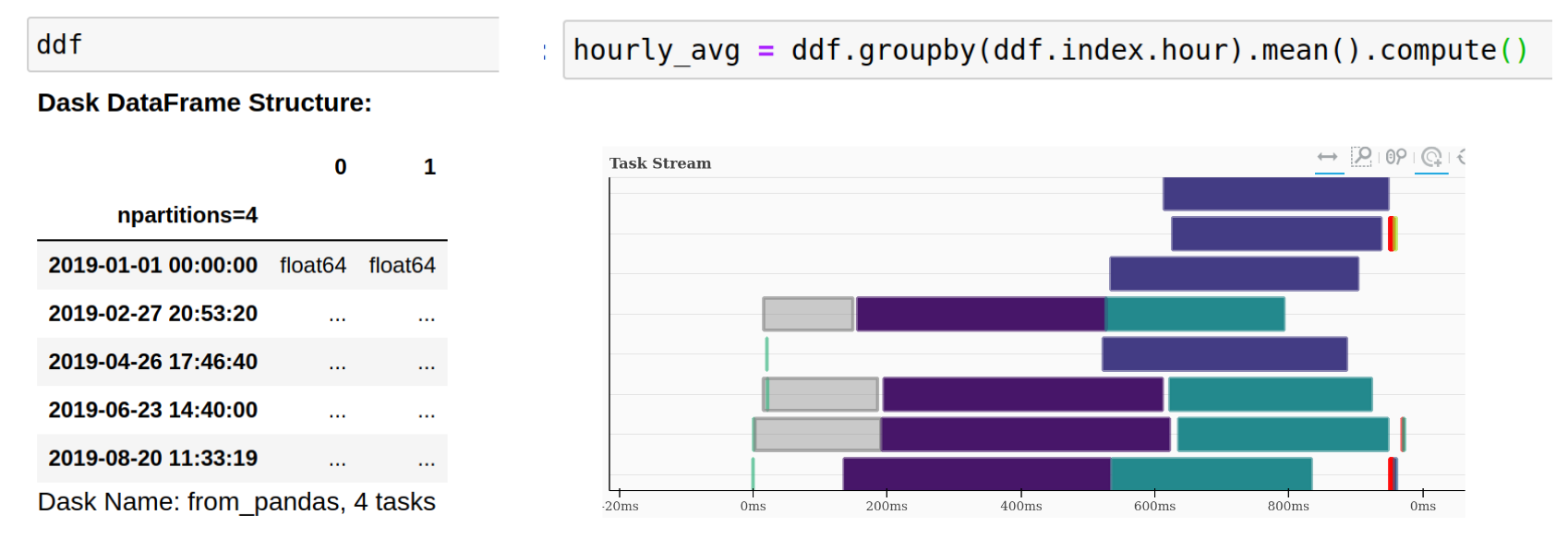
I decided to try out Dask in a distributed environment, so I followed the instructions on setting up a small Dask cluster on AWS as described in Chapter 11 from Data Science at Scale with Python and Dask. Based on this setup and dataset suggested in the book, I implemented my own data pipeline and model using Dask; below are some of the lessons learned along the way.
Dataset and Objective
We start with a Food Reviews dataset from Amazon, which can be downloaded from the Stanford SNAP page. The dataset includes about half a million reviews of fine foods on Amazon.
We use Dask to preprocess the dataset, extract the relevant fields and train a bag-of-words model to classify the reviews into positive and negative based on the review text.
Here is an example review, with only the relevant fields included:
product/productId: B00813GRG4
review/helpfulness: 0/0
review/score: 1.0
review/summary: Not as Advertised
review/text: Product arrived labeled as Jumbo Salted Peanuts...the peanuts were actually
small sized unsalted. Not sure if this was an error or if the vendor intended to represent
the product as "Jumbo".
One cannot help but feel sympathetic for those who have to face the blight of unsalted, small-sized peanuts.
AWS Setup
Here is an overview of the AWS cluster recipe. For detailed instructions on setting it up, refer to the book.
- A total of 8 EC2 instances: 6 workers, 1 scheduler, 1 notebook server.
- Docker images for the scheduler, worker, and notebook server deployed using Elastic Container Registry. It is important to ensure all instances are able to communicate with each other, and that we are able to connect to the notebook server, and the scheduler dashboard.
- Elastic File System to store the dataset, so that all instances have access to it.
Lessons Learned
Dask Bag for semi-structured data
Semi-structured data like the food reviews or application logs does not conform neatly to a tabular format, so it cannot be loaded directly into a DataFrame or an Array. A Dask Bag is a collection of Python objects, so it provides more flexibility when dealing with nested structures or irregular items, which can be modelled using lists or dictionaries. The Bag API exposes map, filter and other operations which can be used to normalize the data; once this is done, we can convert the Bag to a DataFrame for more intensive numerical transformations or analysis. This is in analogy with how we might use Python dictionaries and lists to transform a raw dataset, before creating a Pandas DataFrame out of it. The key difference is that operations on the Dask bag can be executed in parallel, and on data that does not fit into memory. For example, my initial pipeline for the Reviews dataset was as follows:
def get_locations(fname):
    """Get starting byte locations for each record."""
    locations = [0]
    with open(fname, mode='rb') as f:
        for line in f:
            if line == b'\n':
                locations.append(f.tell())
    return locations

locs = get_locations(fname)
location_pairs = [(start, end) for start, end in zip(locs[:-1], locs[1:])]
reviews = (bag.from_sequence(location_pairs)
              .map(lambda loc: load_item_text(filename, *loc)
              .map(parse_item)
              .to_dataframe(dtypes))
The input to this pipeline is a sequence of (start, end) location pairs, specified as the number of bytes from file start, extracted in a previous step. The load_item_text will be applied on each location pair: it will load the corresponding text from the file - more on that later. At this point, we have a bag of text items. The parse_item would then convert the text into a dictionary with the fields parsed - I won’t go into the specifics here. The to_dataframe method creates a Dask DataFrame from the transformed bag. Because of the lazy evaluation of this pipeline, the DataFrame constructor cannot infer the data types of each field in the item so these need to be explicitly provided, e.g. {'review/score': np.float}. More complex pipelines can be implemented by chaining together map, filter, and fold operations in a functional style.
The Storage IO bottleneck
Let’s go back to the load_item_text step from the previous section. My naive approach was the following:
def load_item_text(filename, start, end, encoding='cp1252'):
    """Load the text for a single review item using the start and end locations."""
    with open(filename, 'rb') as f:
        f.seek(start)
        return f.read(end - start).decode(encoding)
This function will be applied about half a milliion times (once for each review), and Dask will take care of distributing the tasks on separate workers. It took more than ten minutes to run the complete pipeline on the AWS cluster. Using the handy scheduler dashboard I noticed that the workers spent most of their time in load_item_text. I realized there are possibly two issues with my initial approach:
- The file needs to be opened and closed once per review record
- For each review we change the position of the file object using
f.seek(). So each time it will start atposition=0and move toposition=start.
To address these issues I updated my code to load a batch of items at once. The updated functions were as follows:
def load_item_text_2(f, start, end, encoding):
    f.seek(start)
    return f.read(end - start).decode(encoding)

def load_batch_items(filename, batch_locs, encoding='cp1252'):
    """Load a batch of item texts from a filename.
    batch_locs is a list of (start, end) byte locations."""
    with open(filename, 'rb') as f:
        return [load_item_text_2(f, start, end, encoding)
                for (start, end) in batch_locs]
We now open the filename once per batch. The seek method is still there, but the file position does not need to reset to zero, as we are reading items sequentially, and the input locations are sorted.
The modified pipeline now looks like this:
def locs_to_batches(locs, bs=5000):
    """Convert the list of byte locations to batches of size bs."""
    return [locs[i:i+bs] for i in range(0, len(locs), bs)]

reviews = (bag.from_sequence(locs_to_batches(locs))
              .map(lambda batch: load_batch_items(fname, batch))
              .flatten()
              .map(parse_item)
              .to_dataframe(dtypes))
This time we convert our locations to batches, and load each batch using load_batch_items. This produces a bag of batches of item texts, and we flatten it to obtain a bag of items. The rest of the pipeline is as before. This new pipeline takes 15 seconds to run, giving a speed-up factor of about 40!
I suspect that many distributed processing tasks are limited by storage IO and network bandwidth. There are several optimized column-based storage formats such as Parquet that work well with Dask.
Dask DataFrames API != Pandas API
The Dask DataFrame API implements a large subset of the Pandas API, but of course some parts are missing. Some operations are not implemented because of the data model: Dask DataFrames are partitioned along the rows. Operations such as transpose cannot be implemented efficiently because that would require partitioning along columns as well.
This also means that using operations that are implemented requires more thought with Dask. For example, setting the DataFrame index can be costly because it might require shuffling data across partitions. However, it might be worth it if we later take advantage of the index to perform fast lookups. For example, for the reviews dataset, it might be worth to do reviews.set_index('review_id') if we plan on joining reviews with another table on review_id.
Dask-ML
Dask-ML builds on top of Dask arrays and provides implementations of scalable generalized linear models, among other models. It is designed to work well with scikit-learn. However, it is a relatively young library and some of the features are not fully implemented. For example, I could not get the Dask-ML logistic regression to work with Dask sparse matrices. Fortunately, even very large sparse matrices can be loaded in memory because of their efficient layout. This means we can use the logistic regression from scikit-learn directly. Here is an simple example with the Reviews dataset:
from dask_ml.feature_extraction.text import HashingVectorizer
from sklearn.linear_model import LogisticRegression

vectorizer = HashingVectorizer(n_features=2**16)
x_train = vectorizer.fit_transform(reviews_train['text'])
# x_train is a Dask sparse array but no transformation has been done yet
x_train = x_train.compute()  # actually do the transformations
# x_train is now a Scipy sparse matrix
lr = LogisticRegression(solver='saga').fit(x_train, y_train)
I expect future versions of Dask-ML will provide even more features and interoperability with the rest of the Python ML ecosystem.
Final thoughts
When transitioning from a single-machine to a distributed setting, there are new practices to learn, and anti-patterns to avoid. With Dask, this transition is relatively smooth: I appreciate that the library is transparant about its operations and that the workflow “remains native” in Python. This also means we can incorporate all the tried-and-tested visualization and ML libraries into our distributed data analysis. My overall recommendation is:
- If your workflow can fit into a single machine, use Pandas - it will probably end up being faster than distributing the computation. Focus on using Pandas efficiently to resolve any bottlenecks, e.g. using vectorized operations, avoiding
applytransformations, efficient data IO, etc. - On the other hand, if you are working with large datasets in a cloud environment, you might be able to save money by rewriting your workflows into Dask, e.g. you might go from renting a 32GB instance to a 4GB one.
References and Resources
- Data Science at Scale with Python and Dask
- Is Spark still relevant? A comparison between Dask, Spark and Rapids. The main conclusion is that Dask is not behind Spark in terms of functionality, but enterprises still choose Spark because of the training options and support available (e.g. through consultancies) and institutional support.
-
Dask Delayed Notebook This tutorial introduces
dask.delayed, which can be used to parallelize computations that do not easily fit into the DataFrame / Array template.